New IrriPro 4.0

New IrriPro 4.0

The new IrriPro 4.0.0 has been published with new and important features. Below are the new features and improvements compared to version 3.9.

Many advancements have been introduced taking your requests into consideration.

Please remember that the executable version can be downloaded in the download area, which once activated will use any license purchased.

Upgrading to the new version will occur automatically from previous versions for versions with an active license. By opening the software, a warning window will be shown and the availability of the update will be indicated. In case of problems do not hesitate to contact us.

SMART Wizard

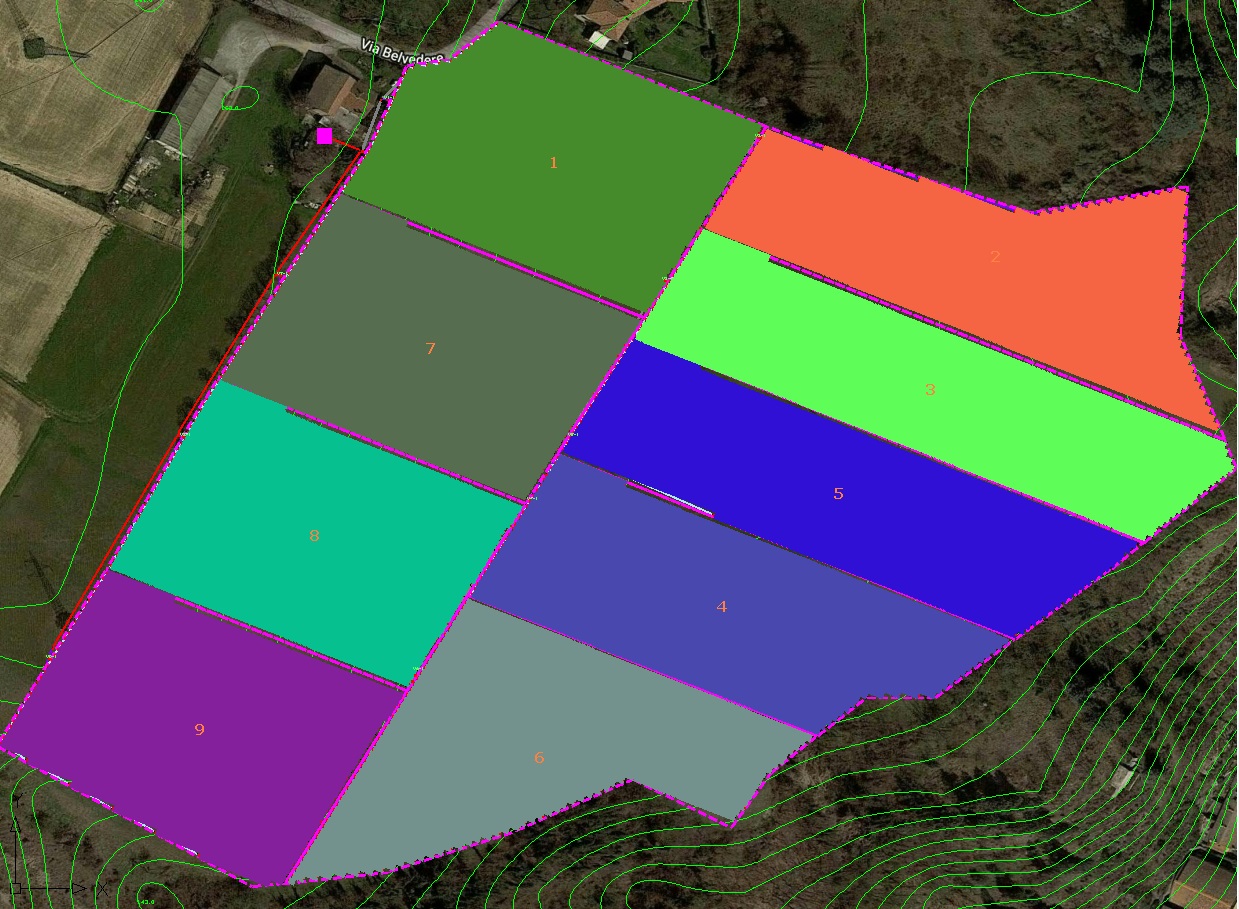
Thanks to the new Wizard called SMART it is possible to create multiple sectors in the same assignment operation (without declaring the number of sectors before the drawing). This new feature allows you to save a lot of time and avoids repeating the same operations for each sector.

Automatic creator

At the end of the Smart Wizard, the system automatically designs all the required sectors, creating a network including all the parts such as ducts, fittings and valves. The nodes of the main pipeline are automatically connected to the sectors according to altitude and proximity criteria.

Symmetric network

New option for center link for symmetric distribution. Possibility of feeding the sectors centrally or at one end of the header duct with a simple option selectable from the Wizard.

Shift management

Shift management through dedicated window. Possibility of managing each valve by inserting it into a specific shift. There is also the function that automatically generates all shifts by opening/closing one valve at a time.

Shift calculation

Now the hydraulic calculation can be performed for a single shift or cumulatively, i.e. for all shifts in sequence so as to have an overall result. At the end of the calculation, the overall thematic map is shown (showing the uniformity results of all shifts in a single view).

Shift map

To better identify the various shifts, the shift map is available with the coloring of the sectors by belonging to each shift.

Google Maps

Critical update to the Google Maps console (older versions will no longer be supported).

Kml and Kmz import

Import of files in Kml and Kmz format with simultaneous import of the color graphic elements contained in the file and processing of the survey and satellite image relating to the GIS position.

Level curves

Choice of the equidistance value of the contour lines before the survey. In the international system it is possible to choose between the values ​​of 1, 2, 5, 10 and 25 meters, while in the Anglo-Saxon and American systems between 2, 5, 10, 25 and 50 feet.

Symbols

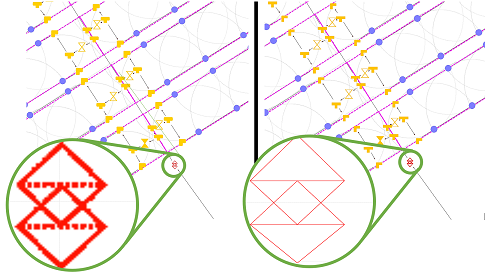
New vector symbols of the graphic elements (for a quality representation at any zoom) with the possibility of changing the dimensions according to preferences.

This allows you to manage the elements with the freedom to use large symbols in the case of large areas where a larger representation is needed and smaller symbols in the case of small systems where these avoid overlaps in areas with a greater concentration of elements.

CAD and various improvements

Improvements for various functions: CAD file import, label management, calculation of areas and rainfall intensity, division of areas (for concave shapes), export of the CAD file (new legend, symbols and layers).

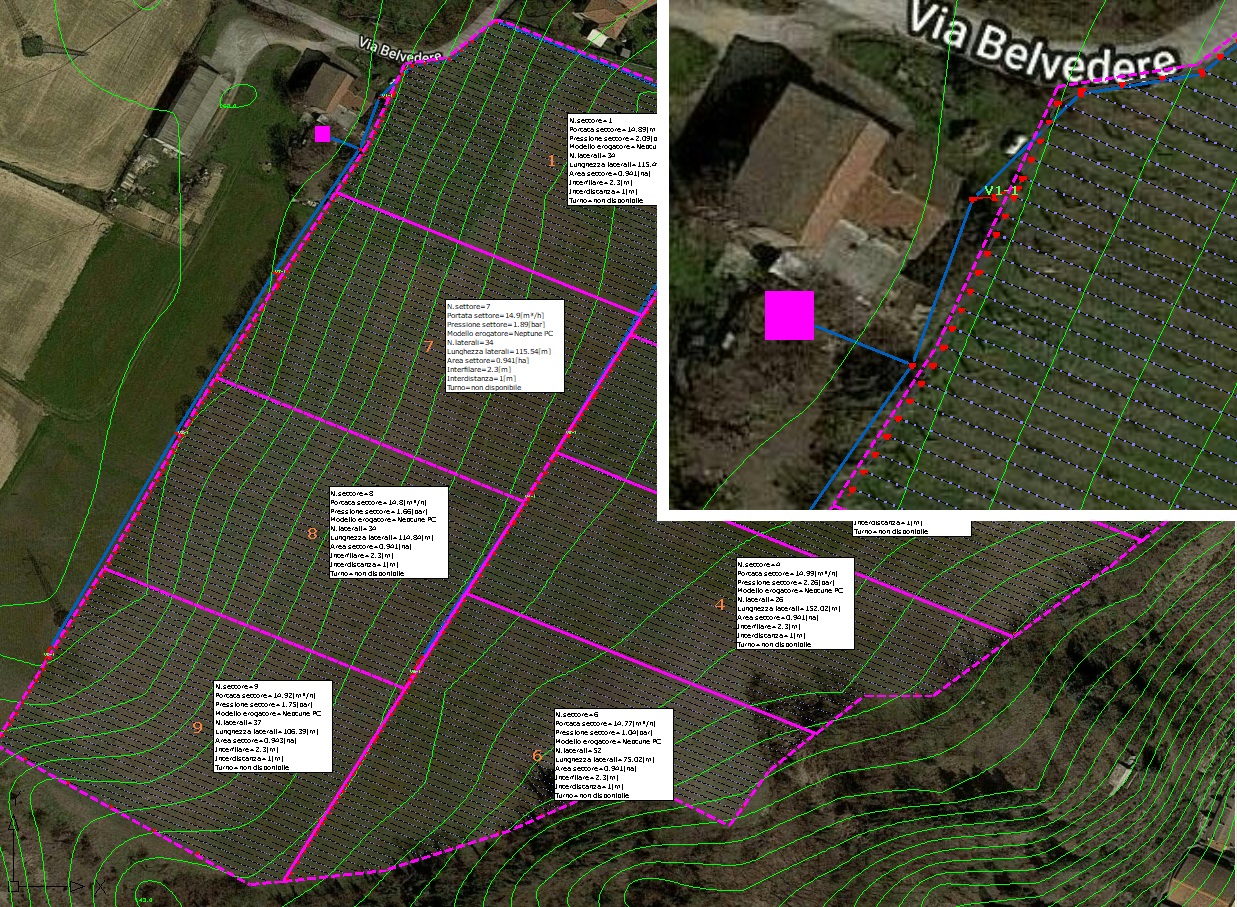
Sector legend

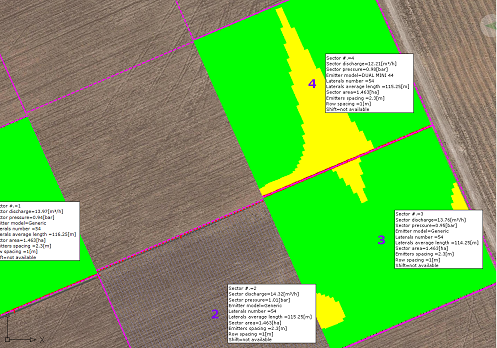
Work area with new legend (which can be moved to any position) and new information tables by sector where area, dispenser models, number and length of lateral pipes, flow rate/pressure, row spacing, spacing and shift are reported.

Zooming with mouse

New zooming function with the mouse: it is now possible to easily move and enlarge parts of the plant or a part of the land by simply operating the mouse wheel.

PDF export

New PDF export in vector format where the elements and pipes are represented in scale and in professional quality for printing in any size including legend, label, information table. Ability to hide layers from the work area.

Database

Consistent database update with more than 6000 products added or modified, with data corrections and image improvements. Now you can consult product images with a full resolution preview.

Big systems

The application has been optimized and the functionality improved to design large systems more quickly and cover large areas more easily. For example, once the area has been automatically divided into many portions, it is possible to assign/select (cross the area of ​​influence) the sector and have the angle value automatically filled in.

Label valves and sectors

Automatic label insertion for valves and sectors. An internal algorithm automatically displays the sector and valve number based on the general element index and insertion position. A valid help to identify the element and operate on it.

New layer dedicated to text and labels created: it will be possible to hide or make more transparent the elements of the layer.

Area division

“Divide area” function to divide an existing area into equal parts by defining one or two directions. Thanks to this new functionality, each area can be divided into sectors and the system can then be inserted within them. Now a new procedure allows you to quickly assign a portion of the area to the sector during the wizard.

Calculate sectors

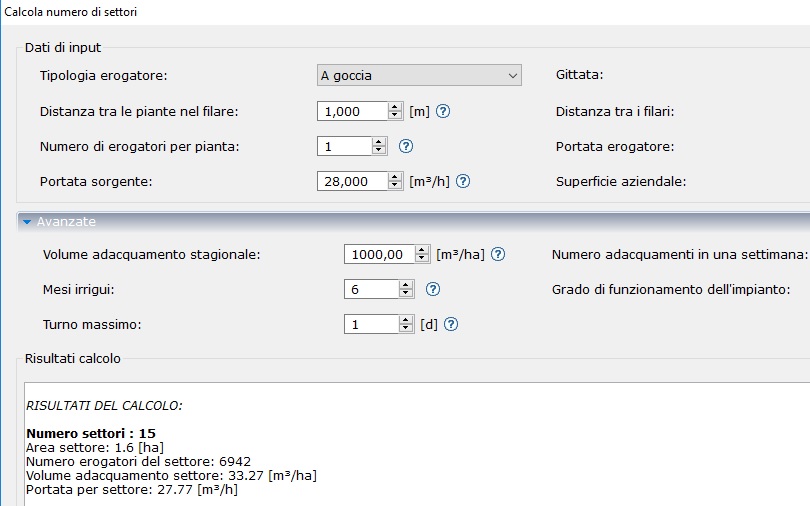
“Calculate number of sectors” function to calculate, based on the flow rate available at the source, the surface area, type and distribution of the dispensers, etc. the number of sectors into which to divide a surface. Other parameters (including plant requirements) allow you to determine the number and duration of shifts.

Model color

Different color assignment for each sprinkler model. This allows immediate identification of the models and the areas in which they are used.

Perimeter sprinklers

Possibility of defining perimeter sprinkler models, even in the case of multiple contiguous sectors.

By entering the property of the sprinkler it is possible to indicate whether to extend a different model compared to the others present to the perimeter of the sector or the entire system.

Text editor

A new text editor to insert text or modify existing text, by color, orientation, font and size. It is also possible to intervene on labels. The text and labels can be managed with a dedicated layer.

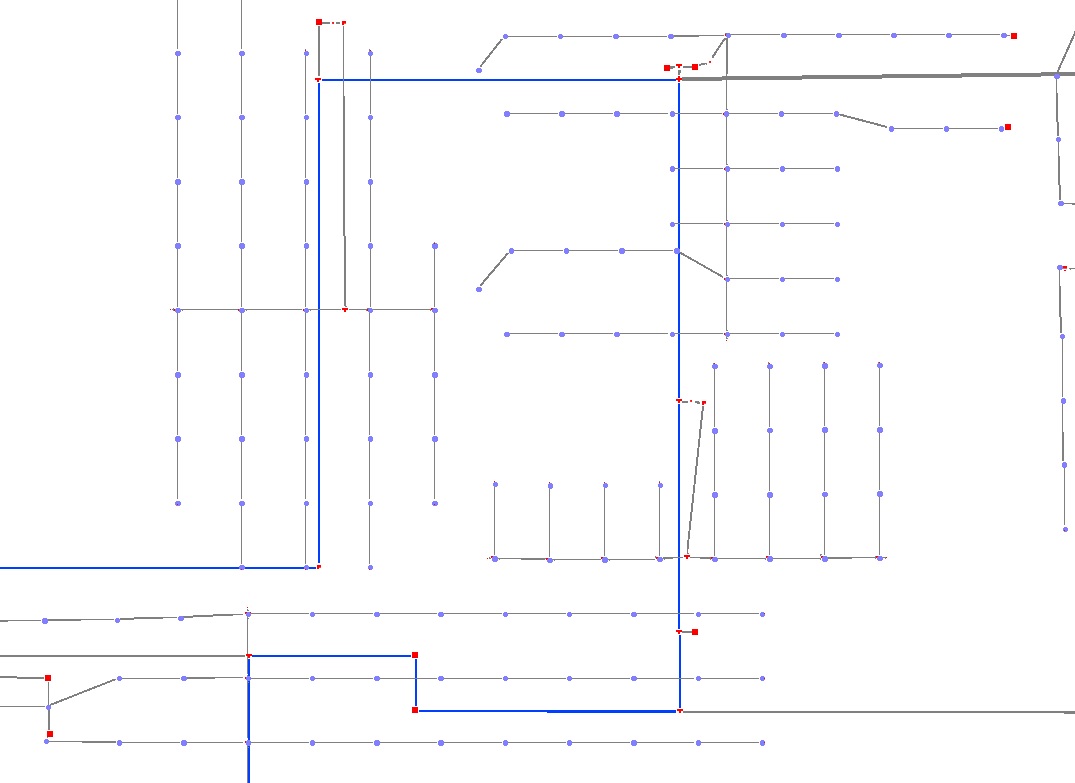
Pipelines under pressure

Color indication of the pipes under pressure (water path) once the hydraulic calculation has been performed: the pipes with a color other than gray will be under pressure.

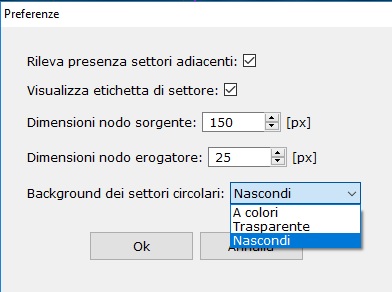
Coverage options

New preferences window to manage the following aspects: transparency circles of the sprinkler/popup coverage, to activate/deactivate the continuity of the sprinkler/popup circles on the edges of the ground in adjacent sectors, to modify the size of the supply nodes and the source.

CAD layers

Importing the CAD file with text and colors. The exported CAD file now contains new layers for main + secondary ducts, header + supply wings and one dedicated to sprinkler circles and text.

  • Possibility of feeding the sectors centrally or at one end of the header duct with an option selectable from the Wizard
  • Bug fixed: use of the zoom, via mouse wheel, simultaneously with the drawing of pipes and terrain edges
  • DXF file import with automatic recognition of terrain/sector edges
  • Improved visibility of contour line dimension values
  • Optimization of copy/cut/paste operations (+70% speed) and zooming (+20%)
  • Import of the survey and the satellite image contextual to the Kml/Kmz file
  • Possibility to modify the Z quota at the source and at each individual node/element
  • New legend in the work area now also positionable
  • Improved import performance and management of imported CAD files
  • Improved label management
  • New command to open/close all valves
  • JRE integration to improve software compatibility
  • Import and export (from/to DXF) of text
  • Assignment/selection (by clicking inside the area of ​​influence) of the sector(s).
  • Area calculation from the context menu by clicking inside the edge of the terrain
  • Automatic completion of the angle measurement once measured on the work area
  • Created two new layers on the exported dxf: Layer.1 main + secondary pipes; Layer.2 header + dispensing wings
  • New layer dedicated to sprinkler circles created (distinct layer also on the exported DXF)
  • NaanDanJain catalog update
  • Fixing calculation of areas, rainfall intensity, calculation of number of sectors
  • Fixing division areas for concave shapes
  • Fixing proxy connection
  • Fixing layer label and information box
  • Fixing calculation of odds and slopes
Share this post:
Facebook
Twitter
LinkedIn
WhatsApp

From the same category: